What this page decides
This page defines the common anime shading language. Skin, hair, eyes, outline, and face-shadow pages should branch from this baseline instead of inventing separate looks.
UE5 / Style Direction / Character Shading
A production-oriented style guide for clean cel bands, stable shadow color, readable silhouettes, and scalable anime character materials.
This page defines the common anime shading language. Skin, hair, eyes, outline, and face-shadow pages should branch from this baseline instead of inventing separate looks.
01
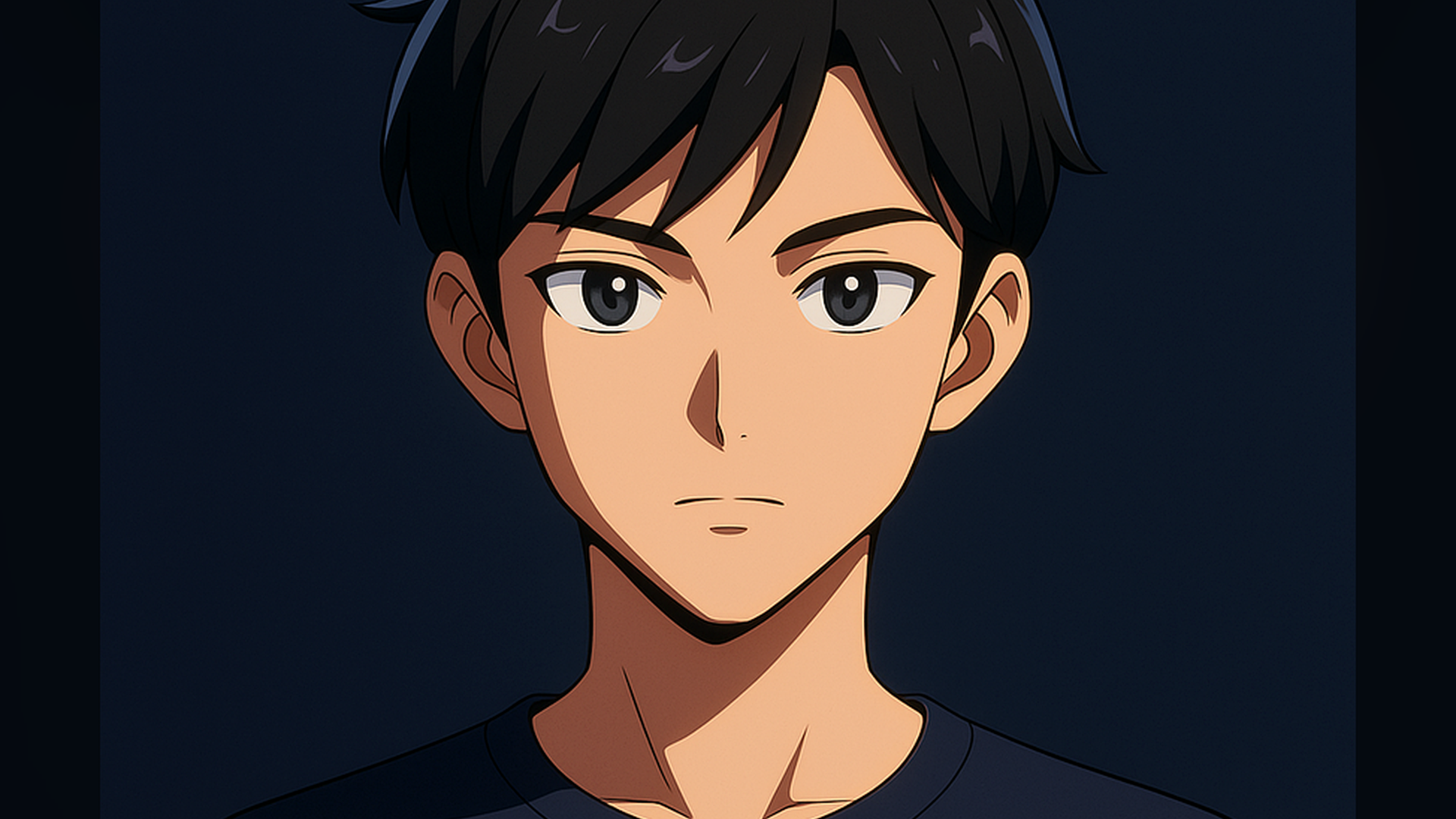
This image is the style anchor: simple banding, readable face planes, restrained specular, and a dark silhouette that still separates from the background.
02
Best when the character needs per-asset control: skin can use a face shadow map, hair can use flow highlights, and eyes can keep their own highlight hierarchy.
Best when the whole scene needs a quick stylized pass. It is fast to apply, but fog, specular, reflections, sky, and GI can create artifacts.
03
Start with a dot product between the surface normal and the main light direction, or use authored masks for areas that need more stable anime control.
Use threshold and softness controls to split the signal into lit, mid, and shadow zones. The band should be easy to preview in grayscale.
Do not rely on physically correct darkening only. Anime shadows often need hue control, especially on skin and face planes.
Keep these layers optional. They should support silhouette and focal point, not fight the primary light/shadow read.
04
05
float ndl = saturate(dot(normalize(WorldNormal), normalize(MainLightDir)));
float band = smoothstep(ShadowThreshold, HighlightThreshold, ndl);

float3 baseBand = lerp(ShadowColor, LitColor, band);

float viewFacing = saturate(dot(normalize(ViewDir), normalize(WorldNormal)));
float rim = pow(1.0 - viewFacing, RimPower) * RimIntensity;

float3 finalColor = baseBand + rim * RimColor;
return finalColor;
06
The lighting signal is unstable. Check normals, face masks, indirect light, specular contribution, and whether the band threshold is too sharp.
Use an authored face shadow map or face-specific mask. Raw normal lighting often fails on anime faces because the planes are intentionally simplified.
Reduce or replace PBR-style specular with a stylized highlight mask. The highlight should support the drawing, not reveal surface realism.
Scale outline/rim by distance, character importance, and background complexity. The silhouette layer should not flatten the entire character.
07