Stormfront: Making a Storm Sky Feel Alive
This is a personal Unreal study, not a shipped-game shot. I wanted a small figure under a sky that felt heavy without spending the whole frame budget on cloud detail. Tides of Annihilation and Black Myth: Wukong were references for scale and mood, not sources of assets.
Shape first
I built the broad cloud bank before adding fine noise. Gaps and a darker underside did more for its weight than extra texture: they give the flash something to reveal.
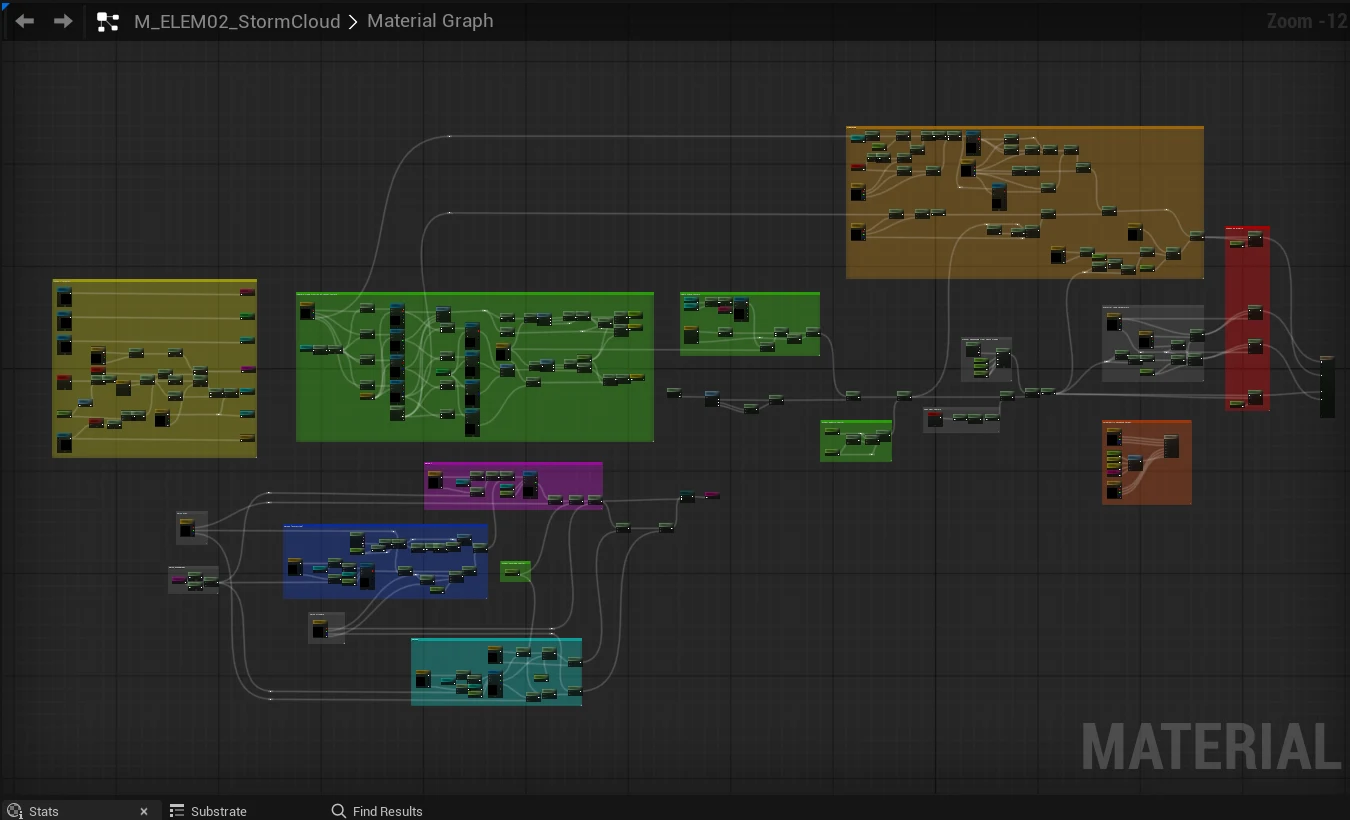
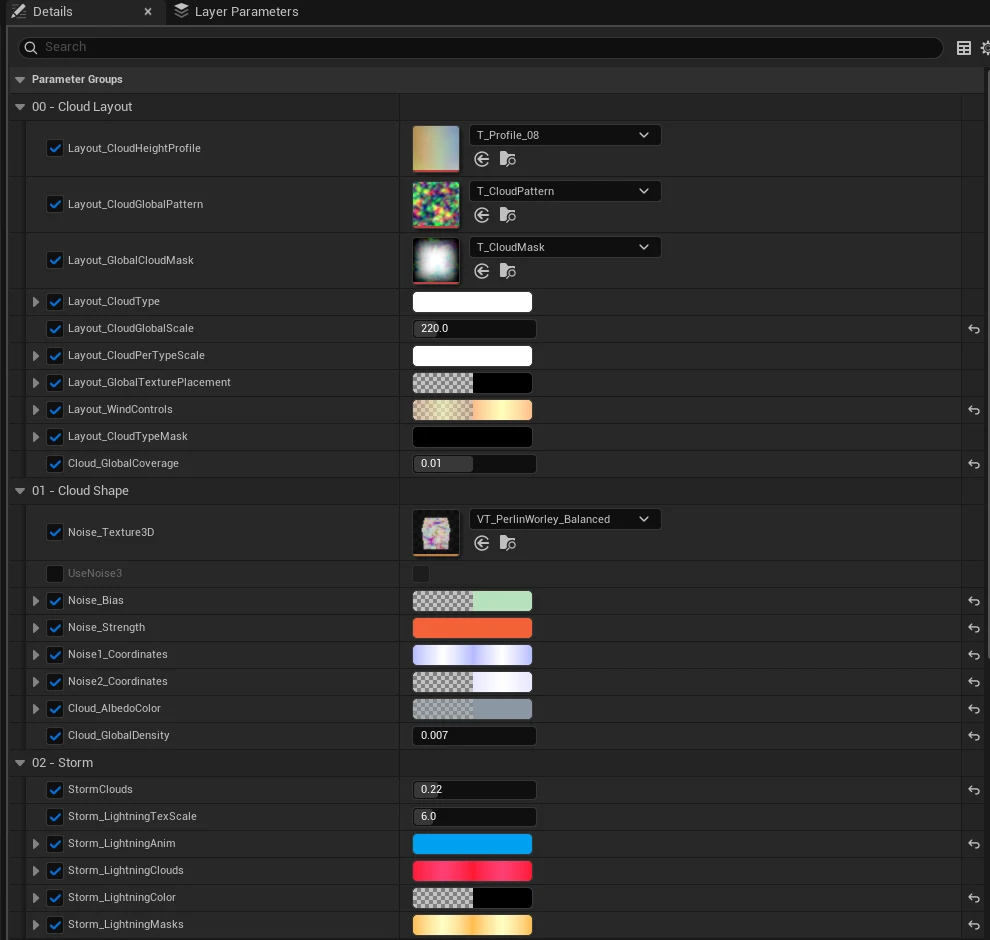
The material instance keeps layout, density, and storm lighting adjustable. I judged each change from the gameplay camera, where the moving silhouette matters more than a close-up of the noise.
A flash with two beats
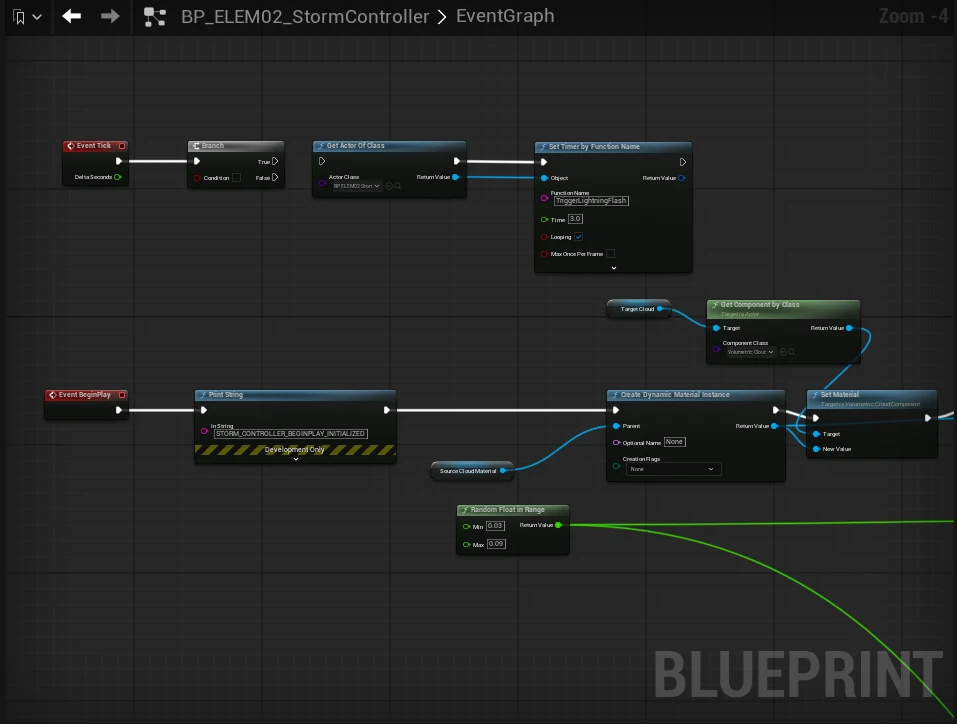
A Blueprint drives a dynamic cloud material instance and a Point Light. The flash peaks, dips, then peaks again; a single exposure pulse felt too flat. It can fire from two positions across the bank.
I also tested a separate Niagara strike and ground impact. They are not shown in the cloud clip, and I have not yet validated their timing together in a final gameplay shot.
What still needs testing
An earlier Editor sample on an RTX 3070 measured VolumetricCloud at 4.83 ms and VolumetricCloudShadow at 1.88 ms at a 1295 × 729 viewport resolution. That points to cloud rendering as the first cost to investigate; it does not establish production 60 fps.
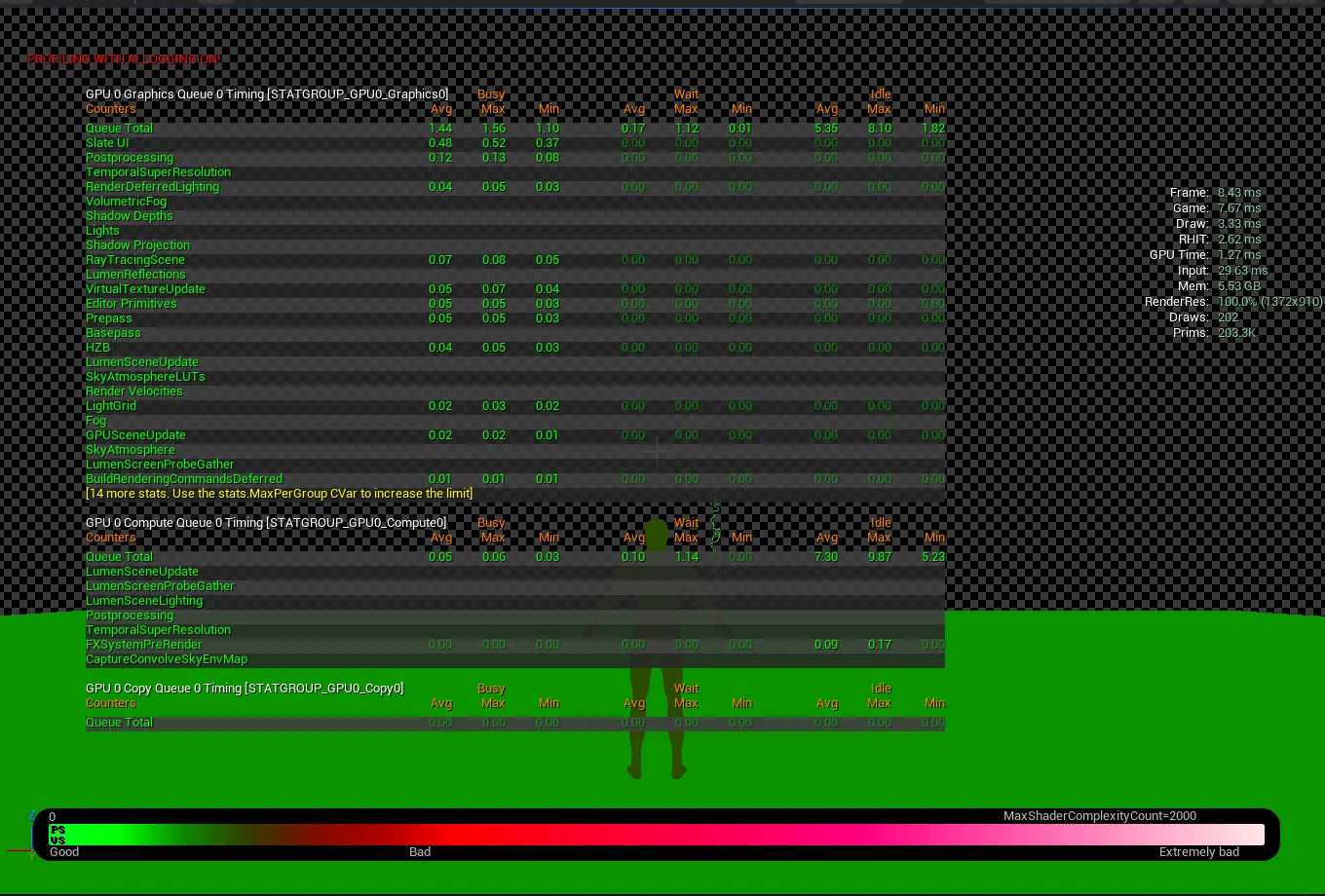
The diagnostic image above is a different view. Its 1.27 ms GPU reading is not the storm-cloud cost. The next useful test is a representative arena over several full flash cycles.
References
- Tides of Annihilation: arena scale.
- Black Myth: Wukong boss-fight trailer: weather framing.